A task manager for
you and your
AI agent.
Working solo has changed. There’s an AI agent alongside you. Me, Myself and AI is a minimal, self-hosted task manager built for that tandem, from planning a project to reviewing the work.
Installation01 / YOU
“Add an 'About Me' Page.”
You set the goal.
02 / YOUR AGENT
Build the first version
Uses the task and its context.
 03 / TOGETHER
Review & refine
You give feedback. Your agent adjusts.
your direction, your agent’s help
Features
What it does
Projects, milestones, tasks and deadlines give the work you do together a simple structure.
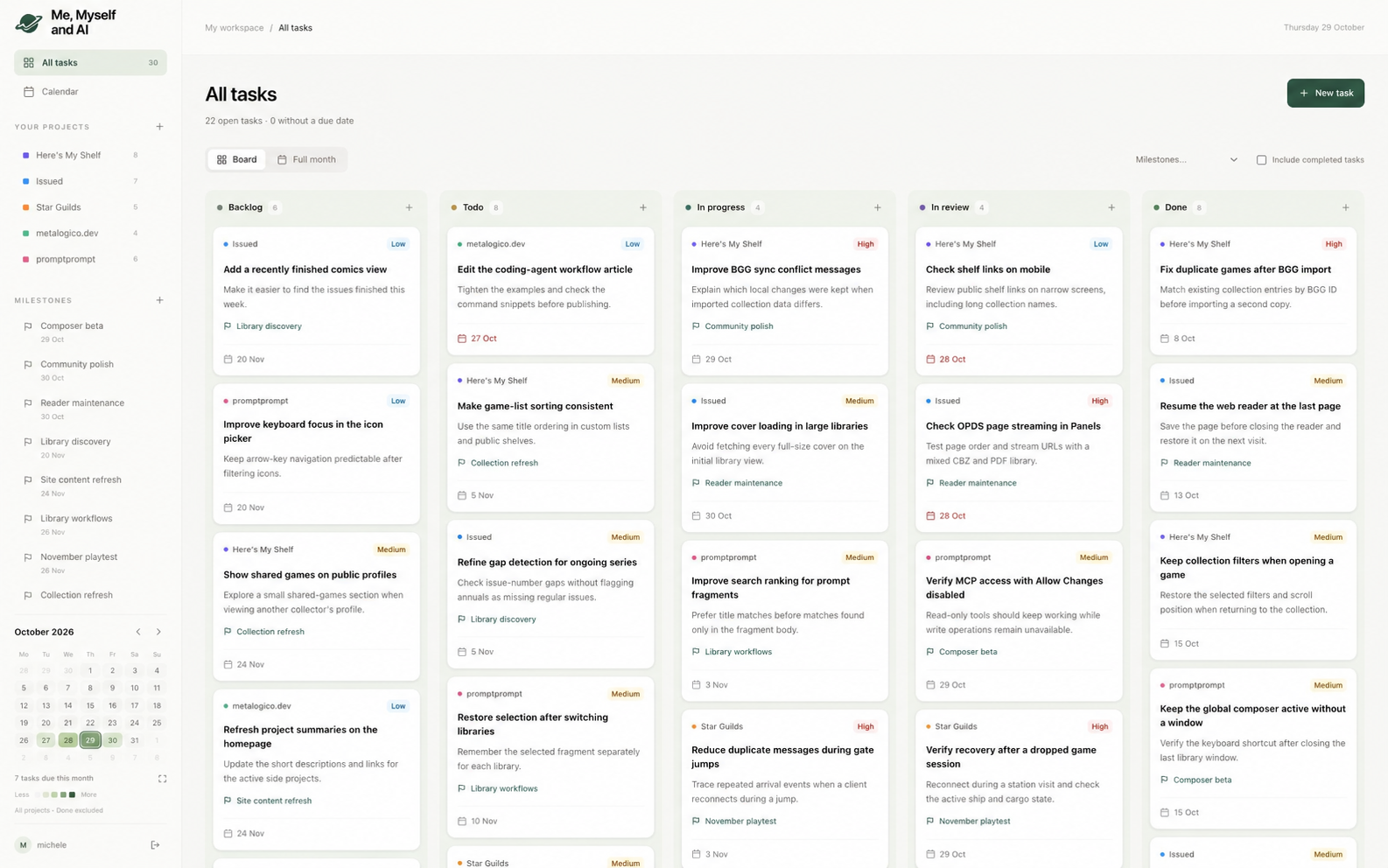
- Kanban board
- Five columns, from Backlog to Done, with drag-and-drop tasks, descriptions and three priority levels.
- Projects and milestones
- Color-coded projects with separate boards. Tasks can belong to milestones, which have their own deadlines.
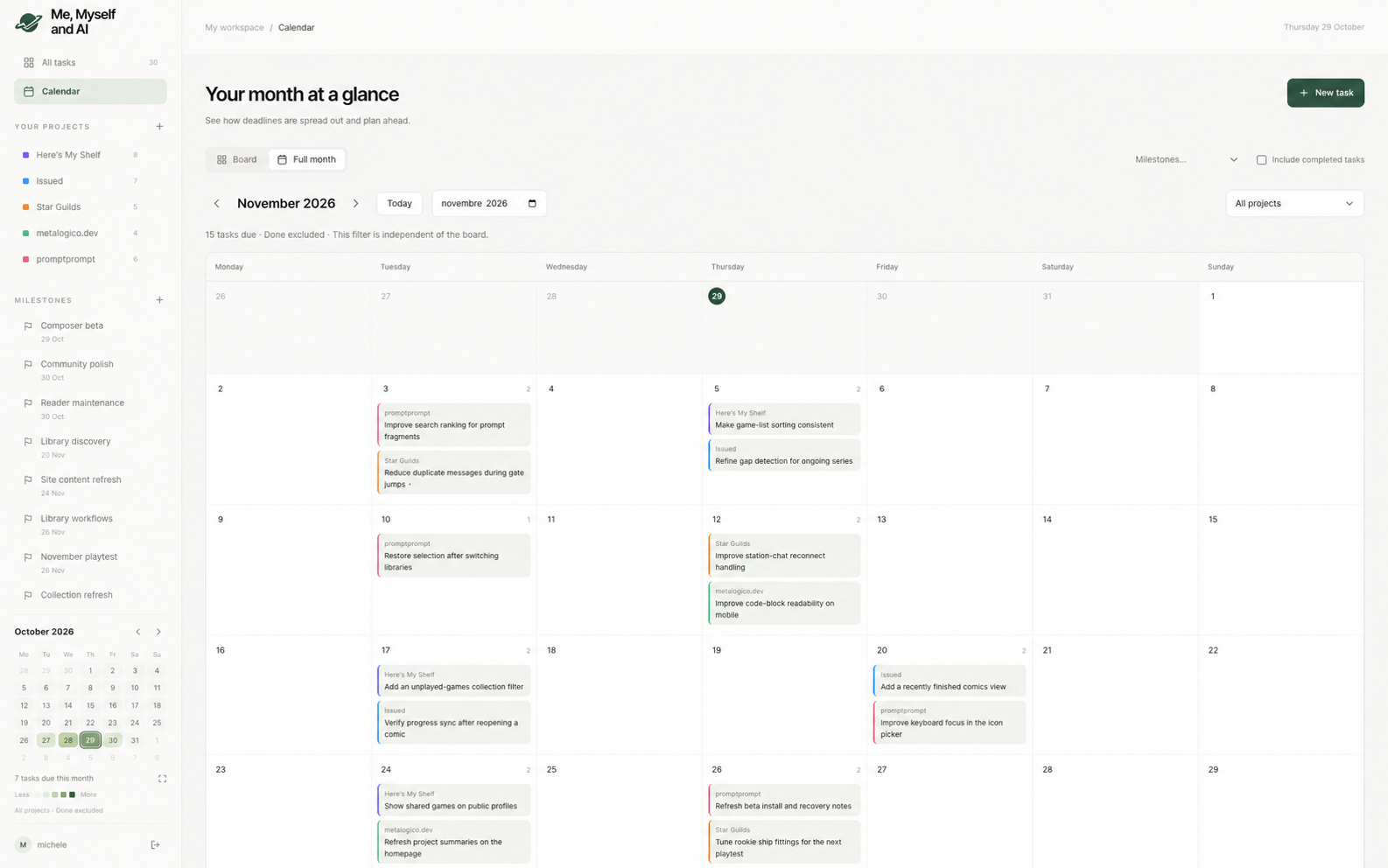
- Deadline calendars
- A compact deadline heatmap beside the board and a full monthly calendar with a project filter.
- Your own workspace
- Self-hosted, with a single login and persistent SQLite storage.
Working with MCP
Plan the day together.
Ask your agent about today’s work in the chat you already use. Through MCP, it can consult your Me, Myself and AI board and bring the tasks into the conversation.
You choose what to work on next.
- 01 Ask your agent
- 02 It checks your board through MCP
- 03 Pick a task together
Agent workspace
Checked MMAI
2 tasks due today
Illustrative conversation · Fictional projects and tasks
Installation
Install with Docker
Requires Docker Compose 2.24.4 or newer. Prebuilt images are available for Linux AMD64 and ARM64.
Installation instructionsDownload the configuration
Get
compose.yamland.env.examplewith the commands in the guide, then copy.env.exampleto.env.Configure your login
Pull the Docker image, generate an application key and password hash, and set your username in
.env. The guide has the exact commands.Start Me, Myself and AI
docker compose up -d --waitOpen
http://localhost:8092and sign in. A new installation starts with an empty board.